
Creating a functional home office is now essential for millions of people. Remote work is more common than ever, and a smart home workspace can boost productivity, comfort, and well-being. Setting up a great office is more than just placing a desk and chair—it’s about designing a space that helps you focus, stay organized, and feel comfortable every day.
Whether you have a whole room or just a corner, you can build a workspace that suits your needs.
Choosing The Right Location
Finding the best spot for your home office is the first step. You need a space with minimal distractions, good lighting, and enough room for your equipment.
- Natural light is important. A window can reduce eye strain and improve mood.
- If you don’t have a spare room, use a quiet corner in your living room or bedroom.
- Avoid high-traffic areas like hallways or kitchens.
Noise levels matter. If your home is busy, consider noise-canceling headphones or portable room dividers.
Essential Furniture And Equipment
Your home office should have furniture that is both comfortable and practical. The main pieces are a desk, chair, and storage.
| Furniture | Purpose | Recommended Features |
|---|---|---|
| Desk | Work surface | Sturdy, 48+ inches wide, adjustable height |
| Chair | Seating | Ergonomic, lumbar support, adjustable arms |
| Shelving | Storage | Easy access, space-saving, adjustable |
A good desk should fit your computer, paperwork, and any extra devices. Many people overlook desk height; it should let your elbows rest at a 90-degree angle.
An ergonomic chair prevents back pain. Spend time testing chairs before buying. According to the CDC, prolonged sitting can cause health issues, so a chair with proper support is crucial.
Don’t forget storage. Use shelves, file cabinets, or baskets to keep your workspace tidy.
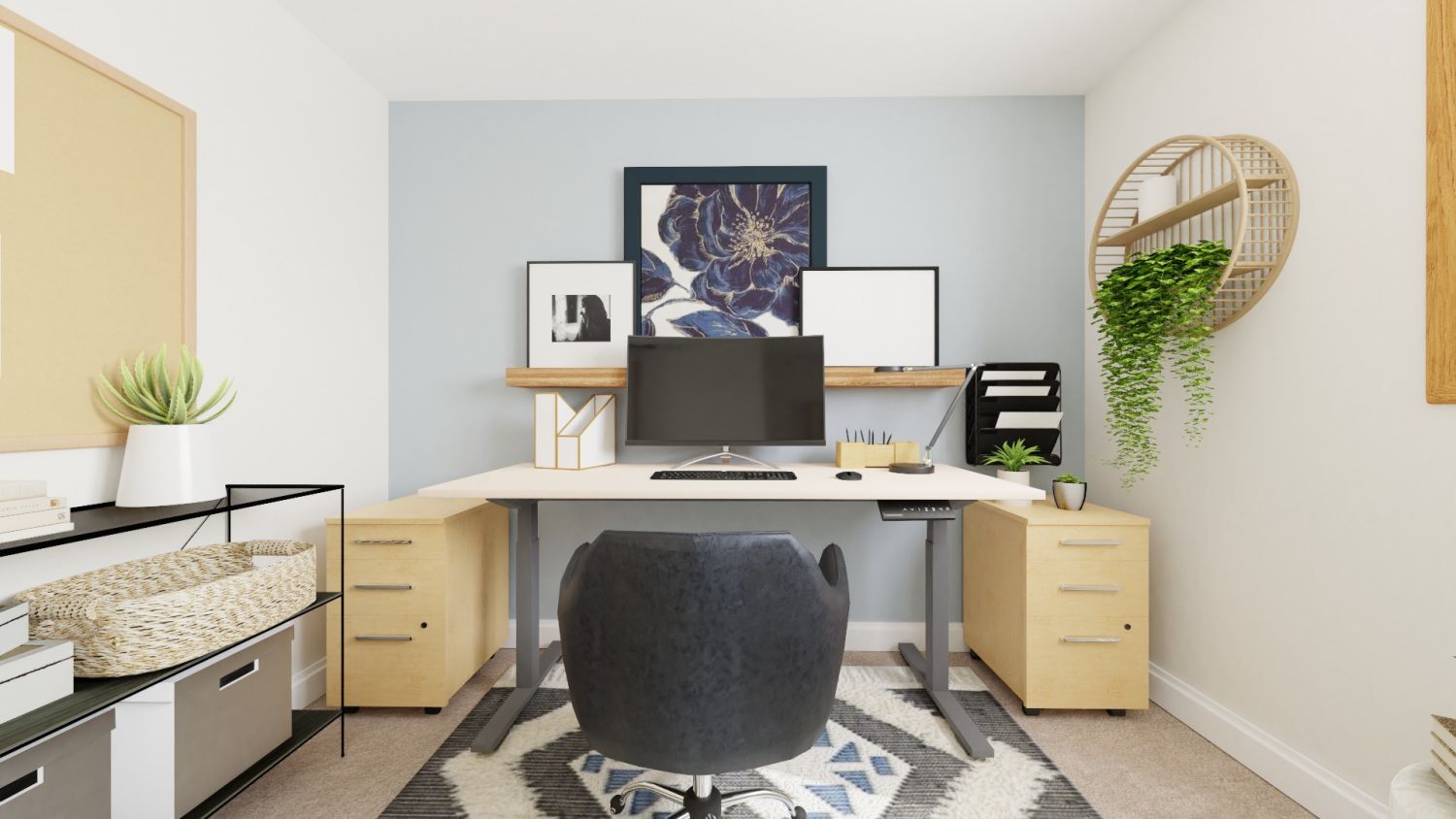
Credit: baridecor.com
Technology Setup
A functional office needs reliable tech. Invest in equipment that helps you stay productive.
- Computer: Choose a model that matches your work. A laptop is flexible, but a desktop is better for long tasks.
- Monitor: Bigger screens reduce eye strain. A 24-inch monitor is ideal for most tasks.
- Keyboard and mouse: Wireless models keep your desk neat.
- Internet: Fast and stable connection is essential. For video calls, aim for at least 25 Mbps download speed.
Compare common tech setups:
| Device | Average Cost | Best For |
|---|---|---|
| Laptop | $600 – $1,500 | Portability, light tasks |
| Desktop | $700 – $2,000 | Long work hours, heavy tasks |
| Tablet | $300 – $900 | Reading, quick notes |
Don’t forget a surge protector and backup drive. Many beginners skip these and lose important data during power outages.
Lighting And Ergonomics
Lighting affects your energy and focus. Poor lighting can cause headaches or fatigue.
- Use LED desk lamps with adjustable brightness.
- Position lights to avoid glare on your screen.
- Combine overhead lighting with task lighting for best results.
Ergonomics is about making your workspace fit your body. Place your monitor at eye level. Keep your keyboard and mouse close to avoid reaching.
Here’s a quick comparison of lighting types:
| Type | Color Temperature | Best Use |
|---|---|---|
| Natural light | 5000-6500K | General work, mood boost |
| LED lamp | 4000-5000K | Task lighting, reading |
| Incandescent | 2700K | Relaxation, soft light |
Many people forget to adjust their chair and monitor height. This can cause neck and back pain. Small changes make a big difference.

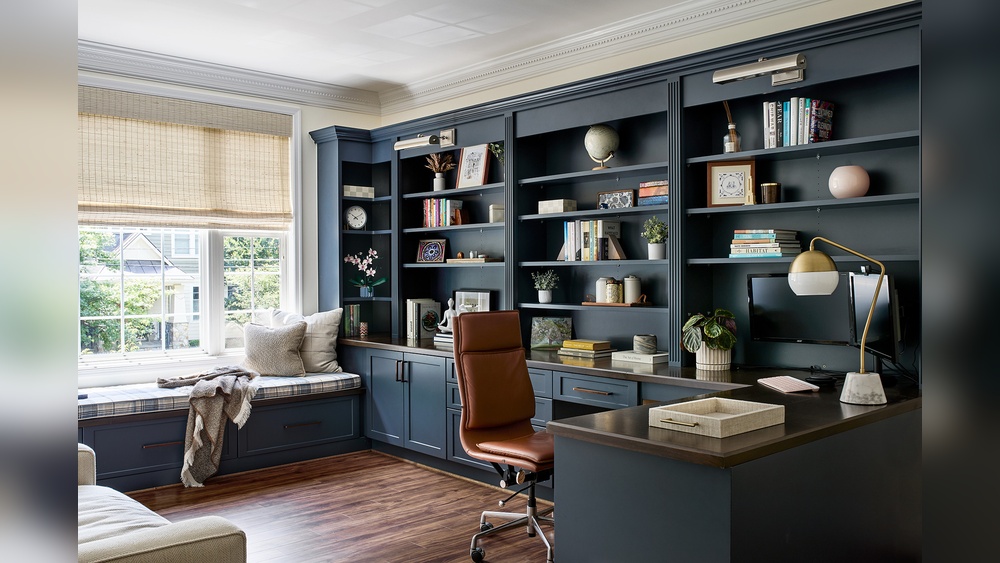
Credit: michaelhelwiginteriors.com
Organization And Productivity
A clutter-free workspace helps you think clearly. Use simple organization tricks:
- Use containers for pens, paper, and cables.
- Label folders and files so you can find them quickly.
- Set up a daily routine to keep your desk clean.
Digital organization is just as important. Store files in folders on your computer. Use cloud storage for backup.
Productivity tools like calendars, planners, or apps can help manage tasks. Try blocking time for different projects. For example, work for 45 minutes, then take a 5-minute break.
Personalizing Your Space
Your home office should feel comfortable and inspire you. Add items that make you happy and relaxed.
- Hang artwork or photos.
- Use plants to improve air quality and mood.
- Choose colors that help you focus—blue and green are good choices.
But avoid too many decorations. Too much visual noise can be distracting.
One insight many beginners miss: air quality matters. Use an air purifier if your space feels stuffy. It keeps your mind sharp.
Common Mistakes To Avoid
Many people make small errors when setting up their home office. Avoid these:
- Using a chair without support—causes back pain.
- Poor lighting—leads to headaches and tired eyes.
- Not separating work and home life—makes it hard to focus.
- Skipping surge protectors—risking equipment damage.
Make sure to check your setup every few months. Adjust as needed to stay comfortable and productive.
Frequently Asked Questions
How Much Does It Cost To Set Up A Home Office?
Costs vary. A basic setup can start at $300 for desk, chair, and lamp. A more advanced workspace with tech upgrades may reach $1,500 or more.
What Is The Best Desk Size For A Home Office?
A desk should be at least 48 inches wide and 24 inches deep. This gives enough space for your computer, papers, and accessories.
How Can I Improve Air Quality In My Home Office?
Use indoor plants or an air purifier. Plants like spider plants and snake plants clean the air naturally.
What Are The Best Colors For A Home Office?
Blue and green help with focus and calm. Avoid bright red or yellow—they can be distracting.
How Do I Stay Productive While Working From Home?
Set a clear routine. Take regular breaks. Use productivity apps, and keep your workspace organized.
Creating a functional home office isn’t just about buying furniture. It’s about designing a space that supports your work, health, and happiness. If you plan carefully and avoid common mistakes, your home office can help you succeed every day. For more tips on workspace design, visit CDC Ergonomics.

Credit: michaelhelwiginteriors.com