
Exploring the huge, neon-filled world of Cyberpunk 2077 is exciting, but sometimes you just want to get across Night City fast. The game’s map is massive, with many hidden corners and busy streets. If you’re running missions, chasing side quests, or shopping for new cyberware, walking or driving everywhere can take a lot of time. That’s where fast travel comes in. It’s the quickest way to move between places you’ve already discovered. But how does it work, what are the tricks, and how can you unlock every fast travel point? This guide explains everything you need to know about fast travel in Cyberpunk 2077, from the basics to expert tips that even some experienced players miss.
What Is Fast Travel In Cyberpunk 2077?
Fast travel lets you instantly move your character from one spot on the map to another, cutting out the time spent driving or running. In Cyberpunk 2077, fast travel is only possible between special terminals spread around Night City and the Badlands. Unlike some open-world games, you can’t open the map and jump to any location at any time. You must physically go to a fast travel terminal first.
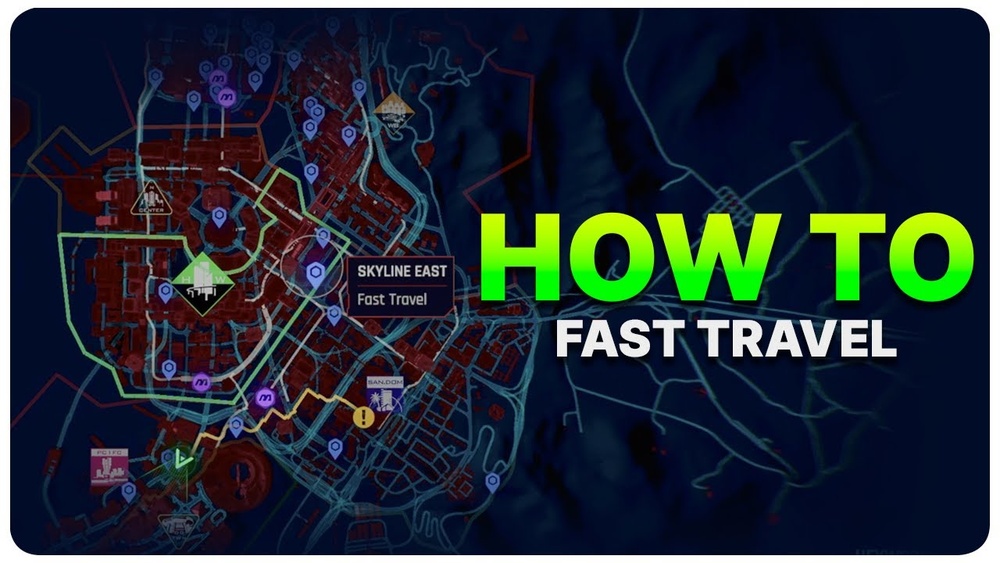
These terminals look like blue kiosks with a screen, often placed near major streets, shops, and landmarks. When you use one, a map opens, showing all the other fast travel points you’ve found. Pick your destination, confirm, and V (your character) will appear there instantly.
How To Unlock Fast Travel Points
You don’t start with every fast travel location unlocked. Each terminal must be discovered before you can use it. Here’s how to unlock them:
- Explore on Foot or by Vehicle: As you move through the city, new terminals appear on your mini-map as gray icons.
- Get Close: You need to get within a short distance—usually a few meters—of a terminal for it to become active (the icon turns blue).
- Repeat Across the Map: The more you explore, the more locations you unlock. There are over 150 fast travel points across Night City and the Badlands.
Pro tip: Don’t just follow the main story. Take side streets, explore alleys, and check out new districts. Many terminals are hidden in places you might not visit during story missions.
Using Fast Travel: Step-by-step
Fast travel is simple once you know the steps. Here’s how to use it:
- Find a Fast Travel Terminal: Look for the blue computer-shaped icon on your map or mini-map.
- Approach the Terminal: Stand close and press the interact button (default: F on PC, Square on PlayStation, X on Xbox).
- Choose Destination: The fast travel map opens. Highlight your desired terminal. Only active (blue) terminals can be used.
- Confirm: Press the confirm button. The loading screen will appear, then you’ll arrive at your chosen spot.
Important: You can’t fast travel from anywhere—you must be at a terminal. Also, you can’t use fast travel if you’re in combat or during some missions.
Fast Travel Terminal Locations And Map Coverage
Night City is divided into several districts, each with its own set of fast travel points. Here’s a breakdown of the main areas and how many terminals you can expect in each:
| District | Number of Terminals | Main Landmarks |
|---|---|---|
| City Center | 22 | Corpo Plaza, Downtown |
| Watson | 18 | Northside, Kabuki |
| Westbrook | 16 | Japantown, Charter Hill |
| Santo Domingo | 15 | Arroyo, Rancho Coronado |
| Heywood | 19 | The Glen, Vista Del Rey |
| Pacifica | 8 | West Wind Estate, Coastview |
| Badlands | 14 | Nomad Camps, Solar Fields |
Some terminals are near shops, ripperdocs, and apartments, making them especially useful for quick errands.
Types Of Fast Travel Points
Not every terminal is the same. While they all work for fast travel, some are more convenient than others:
- Public Terminals: Found on main streets, near public transport, and busy intersections.
- Service Terminals: Located near shops, fixers, and service providers.
- Residential Terminals: Close to apartments or places you can buy or rent.
- Hidden or Remote Terminals: In back alleys, rooftops, or far out in the Badlands.
Some players miss the less obvious ones. For example, a terminal may be hidden behind a building or inside a parking lot. These can save you time if you unlock them early.
Fast Travel Vs. Manual Travel: Time And Efficiency
How much time does fast travel really save? Is it always better than driving or running? Let’s compare:
| Travel Method | Average Time (in-game) | Real Time (loading screens) | Best For |
|---|---|---|---|
| Fast Travel | Instant | 10–20 sec | Long distances, errands, quick missions |
| Car/Motorcycle | 1–7 min | None | Exploring, chasing, enjoying city views |
| On Foot | 5–20 min | None | Discovery, looting, nearby objectives |
While driving is fun and helps you see more of Night City, fast travel is best for getting somewhere quickly or when you need to manage inventory, buy upgrades, or start a new mission.

Credit: www.ign.com
Two Non-obvious Tips For Fast Travel Mastery
Most players know the basics, but here are two tricks even some veterans miss:
- Unlock Terminals Near Fixers Early: Fixers give you gigs (side missions), and their locations often have a fast travel point nearby. If you unlock these first, you can start and finish gigs much faster.
- Use Fast Travel to Reset NPCs and Events: Sometimes, shops, vendors, or random events won’t appear or work as expected. Fast traveling away and back can reset these, saving you from reloading your save.
Can You Fast Travel While Wanted Or During Combat?
A common beginner mistake is trying to fast travel while wanted by the police or during a firefight. In Cyberpunk 2077, you cannot use a terminal if you’re in combat, have police attention, or during certain quest moments. You need to escape, hide, or wait until things calm down before the terminal will work again.
Fast Travel And Game Progression
You might wonder: will fast travel break immersion or cause you to miss content? Actually, using fast travel can help you finish more side quests and discover hidden locations. Some missions or collectibles are easier to find when you can quickly jump around the map.
However, don’t rely on fast travel all the time. Walking or driving lets you find hidden loot, random events, and unique encounters that aren’t marked on the map. Mixing both methods gives you the best Cyberpunk 2077 experience.
Fast Travel And Apartments
With the 1. 5 update, you can now buy and own multiple apartments. Each apartment has a fast travel terminal outside (and often inside). This makes it easy to return home, change clothes, or store items. If you’re collecting apartments, unlock these terminals as soon as you buy new places.
Common Mistakes With Fast Travel
Even experienced players make mistakes with fast travel. Here are three to watch out for:
- Ignoring Hidden Terminals: Not all are on main roads. Check behind buildings and in parking lots.
- Forgetting to Unlock New Areas: When you enter a new district, always look for terminals first.
- Trying to Fast Travel During Missions: Some quests limit fast travel. Always check if you’re allowed before running to a terminal.
How To Find Fast Travel Points Faster
If you want to unlock every terminal quickly, follow these tips:
- Zoom In on the Map: Some icons are hidden unless you zoom in closely.
- Use Vehicles for Quick Exploration: Driving is faster than running when searching for new points.
- Mark Unlocked vs. Locked Points: On your map, blue icons are unlocked, gray are not. Plan routes to visit several new ones in a row.
Players who unlock many terminals early can finish side missions, earn money, and upgrade faster.
Using Fast Travel With Mods And Updates
Mods for Cyberpunk 2077 sometimes change how fast travel works. For example, some mods allow fast travel from anywhere or reduce loading times. If you’re playing on PC, check mod compatibility after each game update. Console players have to use the standard system.
The developers also update fast travel systems from time to time. The 1. 5 patch improved loading times and added more terminals in busy districts, making fast travel more useful. Always check patch notes for new features.
Real-world Inspiration For Cyberpunk 2077’s Fast Travel
Did you know the fast travel system is inspired by real-world smart city kiosks? Night City’s terminals look like modern public transport screens found in cities like Tokyo or Seoul. This adds to the game’s realism and helps you imagine how people in a future mega-city might move quickly.
When Not To Use Fast Travel
Sometimes, it’s better not to fast travel. For example:
- Story Missions: Important events or dialog can happen during drives.
- Exploration: You’ll miss out on random encounters and scenic views.
- Achievements/Trophies: Some require you to travel a certain distance on foot or by vehicle.
Balance fast travel with manual exploration for the best experience.
Frequently Asked Questions

Credit: www.reddit.com
What Do Fast Travel Terminals Look Like In Cyberpunk 2077?
Fast travel terminals are blue kiosks with a digital screen and the city’s logo. They are usually located on sidewalks, near bus stops, or next to shops. The map icon looks like a blue computer screen.
Can I Fast Travel During Missions?
In most story missions, fast travel is disabled. You need to complete the mission or wait for a free-roam section before using a terminal again.
How Many Fast Travel Points Are There In Total?
There are over 150 fast travel locations across Night City and the Badlands. The exact number can change with updates, but you can expect to find at least 130 in the main city and around 20 in the Badlands.
Are There Any Achievements For Unlocking Fast Travel Points?
No, there is no specific achievement or trophy for unlocking all fast travel terminals. However, it does make side quests and exploration much easier.

Credit: www.reddit.com
Can I Fast Travel From Anywhere With Mods?
On PC, some mods allow you to fast travel from anywhere on the map. Always check for compatibility after each update. For more on modding, check out the official Nexus Mods site.
Fast travel is one of the best tools for enjoying Cyberpunk 2077’s massive world without wasting time. Unlocking more terminals, using them smartly, and knowing when to travel manually will make your time in Night City smoother, faster, and more fun.
Whether you’re a new player or a returning veteran, mastering fast travel helps you get the most from every minute you spend in the city of dreams.