
Doom Eternal is a fast-paced first-person shooter that rewards players for moving quickly and thinking on their feet. But sometimes, you might want to revisit earlier areas, hunt for missed secrets, or quickly wrap up unfinished challenges. That’s where Fast Travel comes in. Whether you’re a new Slayer or a returning fan, understanding how to use Fast Travel in Doom Eternal can save you time, help you master the game’s maps, and make sure you don’t miss any hidden upgrades or collectibles.
In this guide, you’ll learn exactly how Fast Travel works in Doom Eternal, when you can use it, why it matters, and how to get the most out of this feature. We’ll also clear up some myths, give you practical tips, and answer the most common questions players have.
If you want to finish every level at 100% completion or simply want to make your journey smoother, you’ll find everything you need here.
What Is Fast Travel In Doom Eternal?
Fast Travel is a feature that lets you move instantly between certain areas within a level. Instead of running back through dangerous corridors or jumping across tricky platforms, you can use Fast Travel to jump straight to important locations you’ve already visited. This is especially useful for finding secrets, Praetor Suit Tokens, and other collectibles you missed on your first run.
However, Fast Travel is not always available. It’s designed mainly as a tool for cleanup after you complete a level’s main objectives. This keeps the game’s challenge and pacing intact while still giving players a way to revisit areas.
Key Features Of Fast Travel
- Only works after completing the main objective of a level
- Allows you to revisit previously explored sections
- Lets you collect missed items before leaving the level
- Does not work during the main combat or story sections
How To Unlock Fast Travel In Doom Eternal
You can’t use Fast Travel from the beginning of a level. Instead, you must first reach the point where you’ve finished the main goal or boss fight. Usually, this happens right before the exit portal or the end cutscene.
The Fast Travel Unlock Point
- Complete the Main Objective: Fight through the level until you reach the final combat or story event.
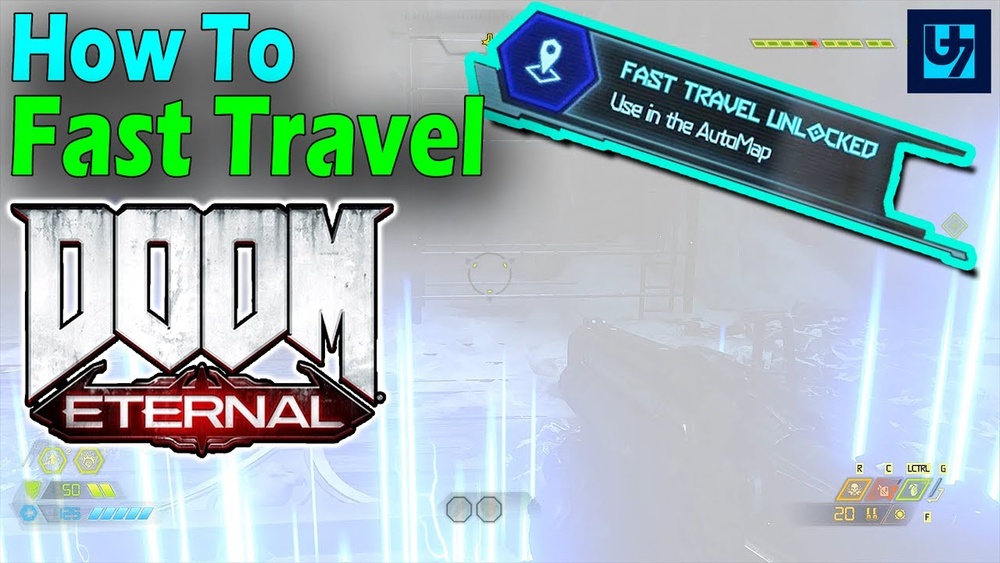
- Look for the Notification: Once you finish the main task, a message will appear on your screen that says Fast Travel is now available.
- Pause the Game: Open the pause menu. You’ll see a new Fast Travel option.
- Choose Your Destination: Select any of the unlocked locations to jump there instantly.
It’s important to remember that you cannot use Fast Travel until you’ve reached this specific point. Trying to backtrack before then means you’ll have to walk or fight your way back manually.
Example
Let’s say you’re playing through the Cultist Base level. After defeating the final wave of enemies and reaching the exit, Fast Travel will unlock. Now you can use it to revisit earlier rooms to pick up secrets or missed items.
Step-by-step: Using Fast Travel
If you’re still unsure about the process, here’s a clear step-by-step guide to using Fast Travel in Doom Eternal:
- Progress through the level as normal. Focus on completing the main mission.
- Watch for the Fast Travel unlocked message. This usually happens after the final fight.
- Press the pause button (usually the Options/Menu button on console or ESC on PC).
- Select the Fast Travel option from the menu.
- Choose your target area. Each area you’ve already visited will be listed by name.
- Select the area and confirm. The game will load you instantly into that location.
- Explore and collect anything you missed. When finished, use Fast Travel again or exit the level.
Practical Example
Suppose you missed a Codex page in the Super Gore Nest. After you beat the level’s main objective, you can open the Fast Travel menu, pick “West Slums” (where the Codex is), and go straight there without retracing your steps.
What Can You Do With Fast Travel?
Fast Travel is designed for cleanup and exploration. Here are the main things you can achieve with it:
- Collect missed secrets like Slayer Gates, Praetor Suit Tokens, or Extra Lives
- Finish optional challenges you missed the first time
- Explore the level at your own pace without enemy interruptions
- Find hidden rooms and discover the lore
Fast Travel does not respawn enemies, so you can search safely. However, you can’t use it to skip new areas or reach parts of the map you haven’t unlocked through normal play.

Credit: www.shacknews.com
Fast Travel Locations: How Are They Chosen?
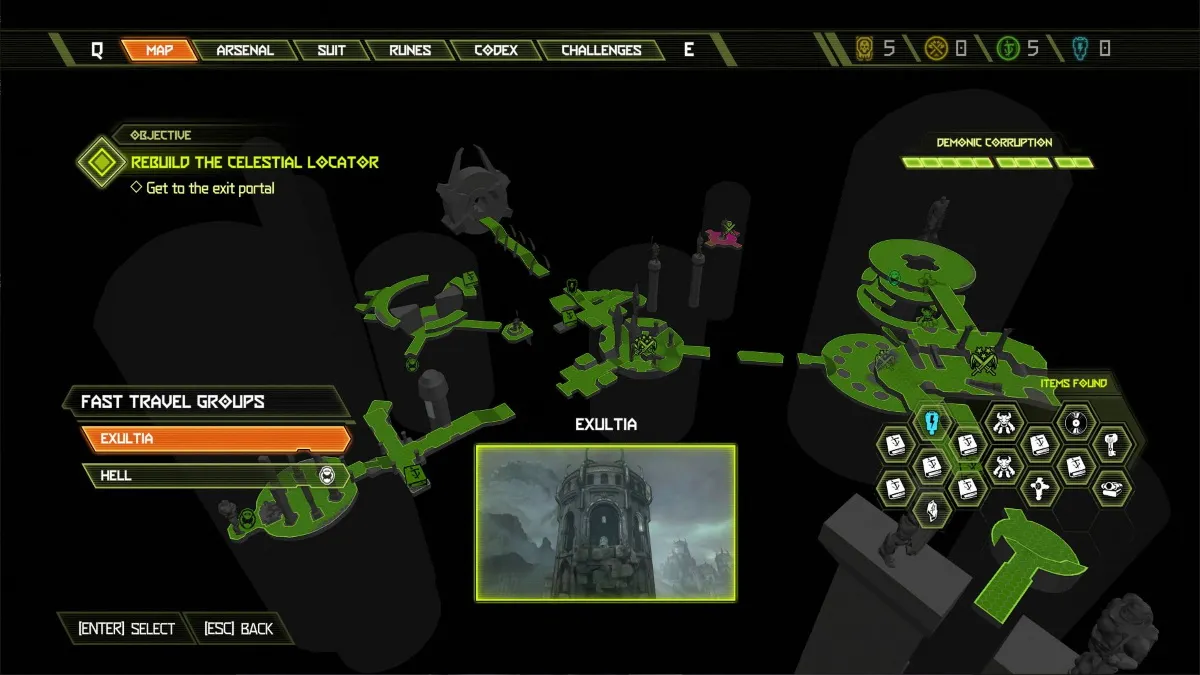
Each level in Doom Eternal is divided into several zones or checkpoints. When you unlock Fast Travel, you’ll see a list of these locations, usually named based on the area’s main feature or purpose.
Here’s a comparison of how Fast Travel locations look in two different levels:
| Level Name | Fast Travel Points |
|---|---|
| Exultia | Sentinel Plaza, Hell Ruins, Catacombs |
| Super Gore Nest | West Slums, East Slums, Main Nest, Blood Swamps |
As you explore each zone, they become available in the Fast Travel menu once you unlock it at the end of the level.
Fast Travel Vs. Manual Backtracking
Some players wonder why Fast Travel is necessary. Here’s a comparison to show the difference between Fast Travel and walking back through the level manually:
| Method | Speed | Safety | When to Use |
|---|---|---|---|
| Fast Travel | Instant | No enemies respawn | After finishing the main objective |
| Manual Backtracking | Slow, must run or climb | Some enemies may respawn | Before Fast Travel is unlocked |
You’ll save a lot of time and avoid unnecessary risks by using Fast Travel for cleanup.
Credit: www.gamepur.com
When Should You Use Fast Travel?
Timing is important. Here are the best moments to use Fast Travel:
- Before ending the level: Always double-check for missed collectibles after completing the main objective.
- For 100% completion: Use Fast Travel to collect all secrets, challenges, and upgrades.
- If you get lost: Fast Travel can help you quickly reach a familiar area.
One key insight: If you exit the level without using Fast Travel, you cannot go back. You’ll have to replay the entire level from the beginning to collect anything you missed.
Common Mistakes And How To Avoid Them
Even experienced players make errors with Fast Travel. Here are the most common mistakes:
- Leaving the level too soon: If you step through the exit portal or trigger the end cutscene, you lose the chance to use Fast Travel.
- Not checking the map: Many players forget to open the map before Fast Traveling. Use the map to spot missed items.
- Missing one-time secrets: Some secrets can only be reached before certain events happen. Always check for “point of no return” warnings.
- Expecting Fast Travel to be available everywhere: Remember, you can’t Fast Travel in the hub area or in some special missions.
A smart habit is to pause and scan the map immediately after the Fast Travel notification appears. This way, you won’t miss anything important.

Credit: www.youtube.com
Fast Travel And Collectibles: Maximizing Your Completion Rate
Doom Eternal is packed with hidden items, including:
- Praetor Suit Tokens
- Codex Pages
- Sentinel Batteries
- Cheat Codes
- Empyrean Keys (from Slayer Gates)
Missing even one can stop you from getting 100% completion. Here’s how Fast Travel helps you find them all:
- Use the map overlay: Missed collectibles show up as icons.
- Fast Travel to the nearest area: Pick the closest checkpoint to the item.
- Explore with no enemy pressure: With all threats gone, you can focus on puzzles and platforming.
- Repeat as needed: Use Fast Travel as many times as you like before leaving.
An extra tip: Some secret areas are well hidden and require using environmental clues. Don’t forget to look up, down, and behind destructible walls.
Fast Travel In Dlc And Special Modes
Fast Travel works in most standard campaign levels, but there are exceptions. In some Master Levels and DLC missions like The Ancient Gods, Fast Travel may have different rules:
- Some DLC levels have no Fast Travel due to their linear design
- Master Levels may limit Fast Travel points for added challenge
Always check the pause menu to see if Fast Travel is available in your current mission.
Advanced Tips: What Experienced Players Know
If you want to get the most from Fast Travel, try these advanced strategies:
- Plan your route: Before using Fast Travel, identify all missed items and plan the shortest route between them.
- Use map filters: Turn on filters for specific collectible types to see only what you need.
- Check for audio cues: Many secrets emit a unique sound. Listen for these when exploring with Fast Travel.
- Remember quest triggers: Some collectibles require you to activate switches or complete puzzles. Make sure you’ve done these before using Fast Travel.
A subtle but important insight: Some collectibles may not be reachable if you missed a timed event or destroyed a platform earlier. Try to collect as much as you can on your first run, then use Fast Travel for hard-to-find items.
Fast Travel Vs. Other Travel Options
Doom Eternal does not have a traditional open-world map or global Fast Travel between levels. Here’s a quick comparison of your movement options:
| Method | Scope | When Available |
|---|---|---|
| Fast Travel | Within current level | After main objective |
| Replay Mission | Whole level, from start | Anytime from Fortress of Doom |
| Manual Exploration | Anywhere you can walk | Anytime, but slower |
If you missed something after leaving the level, you must replay the mission from the Fortress of Doom hub. This can be time-consuming, so always use Fast Travel before finishing a level.
Frequently Asked Questions
How Do I Know When Fast Travel Is Available?
Fast Travel unlocks after you complete the main objective of the level. You’ll see an on-screen message saying it’s now available. You can then use the pause menu to Fast Travel between unlocked locations.
Can I Use Fast Travel To Skip Parts Of The Level?
No, Fast Travel only lets you revisit areas you’ve already explored. You cannot use it to jump ahead to new zones or skip major fights.
What Happens If I Leave The Level Without Using Fast Travel?
If you exit the level before using Fast Travel, you cannot go back for missed collectibles. You’ll have to replay the level from the beginning to collect anything you missed.
Does Fast Travel Work In Multiplayer Or Battlemode?
No, Fast Travel is only available in the single-player campaign. It cannot be used in multiplayer or Battlemode modes.
Is There A Way To Fast Travel Between Different Levels?
No, Fast Travel only works within a single level. To replay or revisit a different level, return to the Fortress of Doom and select the mission you want to replay.
For more details, you can check the official Doom Eternal Wiki.
Fast Travel is a simple but powerful tool in Doom Eternal. By understanding when and how to use it, you’ll make your journey as the Slayer smoother, more efficient, and much more rewarding. Don’t forget to check your map, use Fast Travel before leaving each level, and enjoy uncovering every secret the game has to offer.