

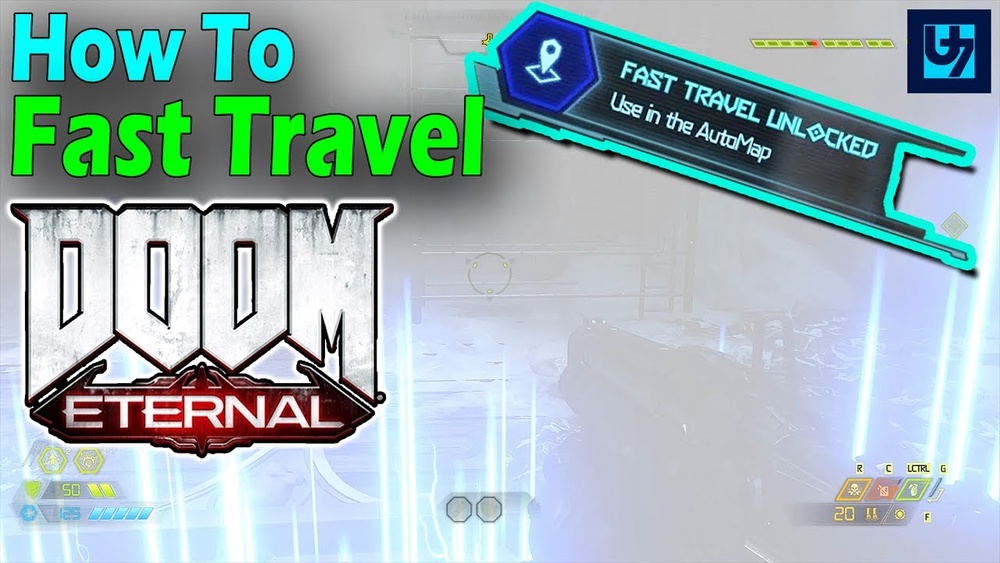
How To Fast Travel In Doom Eternal
Getting lost in the intense battles and sprawling levels of Doom Eternal is easy. With so many secrets, collectibles, and hidden areas, you may often wonder if you can quickly return to missed spots without replaying the whole mission. That’s where fast travel comes in. Learning how to use fast travel will save you time, help you find 100% of secrets, and make your demon-slaying journey much smoother.
In this guide, you’ll discover everything you need to know about using fast travel in Doom Eternal. Whether you’re aiming for full completion or just want to revisit favorite areas, this article will walk you through when and how fast travel works, common mistakes, and insider tips most beginners miss. Let’s make sure you never leave a collectible behind.
Understanding Fast Travel In Doom Eternal
Fast travel is a system that lets you instantly move between key locations within a mission. Unlike some open-world games where you can fast travel anytime, Doom Eternal’s approach is more controlled and designed to encourage exploration. Here’s what makes it unique:
- Unlocks near the mission end: You cannot fast travel from the start. The option appears only after you complete the main objective of a level.
- Returns you to specific points: You can only jump to marked locations, not anywhere you want.
- Helps with collectibles: It’s mainly for grabbing secrets, toys, codex pages, or challenges you missed.
Many players expect fast travel to be available all the time. In Doom Eternal, you must finish the core mission tasks first—then you get one last chance to sweep the map.
When Does Fast Travel Become Available?
You’ll unlock fast travel when you reach a clear point: the “Point of No Return.” This message pops up just before the mission’s final section. The game warns you that once you proceed, you cannot return to the rest of the map.
Here’s how it works step by step:
- Play through the level, finishing main objectives.
- When you reach the final area, a “Point of No Return” message appears.
- At this moment, fast travel becomes available in your map menu.
- You can choose to go back to earlier sections to find missed items.
- Once you go through the final door or trigger the end event, fast travel is disabled.
Important detail: If you complete the mission without using fast travel, you must replay the entire mission to collect anything you missed.
How To Use Fast Travel
Activating fast travel is simple, but the menus can be confusing if you’re new. Here’s exactly what you need to do:
- Open the map screen. Pause the game and select the map.
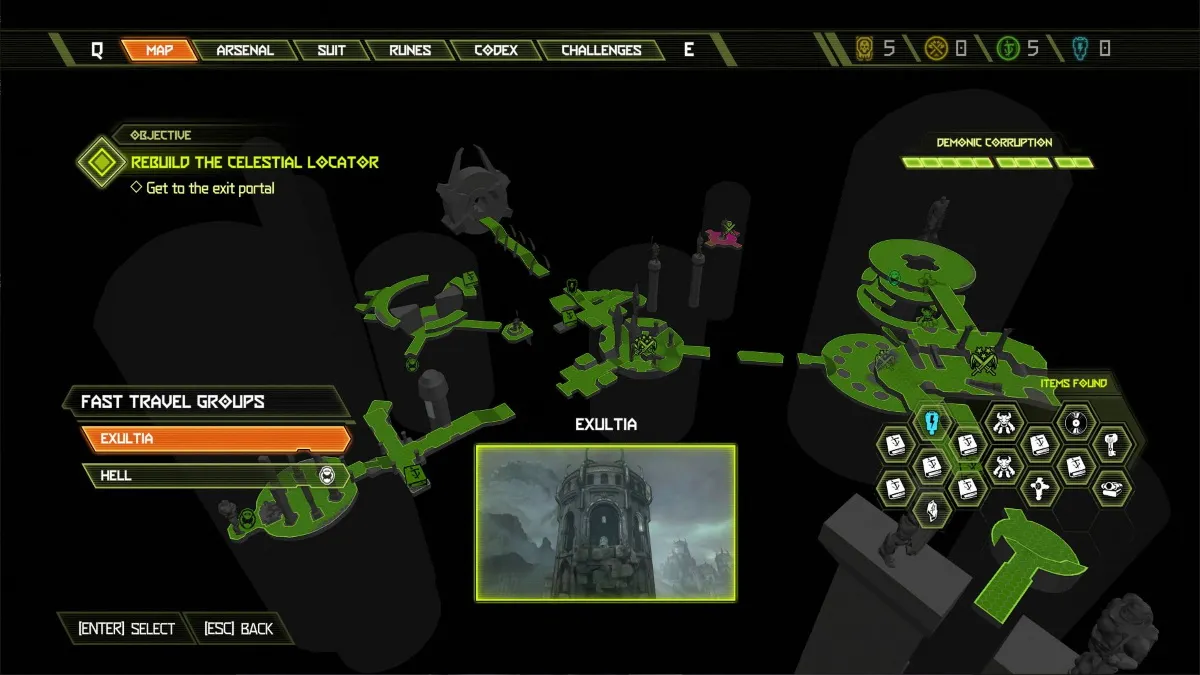
- Look for fast travel points. These are usually marked by special icons.
- Highlight the desired location. Use your controller or mouse to select.
- Confirm the jump. After confirming, you’ll load instantly at the chosen spot.
You can repeat this process as many times as you want before ending the mission. It’s smart to check your collectible progress in the map legend to ensure you’ve grabbed everything.
Fast Travel Points: What Can You Access?
Not every spot in a level is available for fast travel. The game divides missions into named sections—like Entrance Hall, Flooded District, or Foundry—each with a fast travel marker.
Below is a sample comparison of how many fast travel points you’ll usually find in different mission types:
| Mission | Number of Fast Travel Points | Typical Areas Covered |
|---|---|---|
| Hell on Earth | 5 | City Streets, Subway, Rooftops |
| Exultia | 4 | Citadel, Catacombs, Tower |
| The Super Gore Nest | 6 | Streets, Core, Escape Route |
Each point brings you close to major encounters or clusters of collectibles. There are no fast travel markers for tiny rooms or dead ends.

Credit: www.shacknews.com
What Can You Do With Fast Travel?
Fast travel is all about cleanup—the chance to find everything you missed. Here’s what you can collect:
- Secret Encounters: Optional combat challenges.
- Codex Pages: Story and lore entries.
- Toys and Models: Fun collectibles for the Fortress of Doom.
- Cheat Codes: Special items that unlock game modifiers.
- Praetor Suit Tokens: Upgrade points for your suit.
- Runes and Sentinel Batteries: Powerful upgrades.
Fast travel also lets you finish any Mission Challenges that you left incomplete. For example, if you missed killing a certain demon type or destroying a hidden object, you can quickly jump to the right area.
Common Fast Travel Mistakes
Many beginners miss out on fast travel’s full potential. Avoid these common errors:
- Ignoring the “Point of No Return” warning. If you rush ahead, you’ll lock yourself out of fast travel for that mission.
- Not checking the map legend. The legend shows exactly what you’re missing—use it before ending the mission.
- Leaving collectibles behind on purpose. Some think they can return later, but you must replay the whole mission if you miss something.
- Skipping Secret Encounters. These are easier to complete with fast travel; don’t miss the chance.
Insider tip: Always pause and scan the map for flashing icons after fast travel unlocks. They highlight areas with remaining items.
Fast Travel Vs. Mission Select
Some players think they can always use fast travel by replaying missions. However, there’s a key difference between fast travel and Mission Select.
| Feature | When Available | What It Does | Best For |
|---|---|---|---|
| Fast Travel | After Point of No Return, before mission ends | Jump to sections within current mission | End-of-level cleanup |
| Mission Select | From Fortress of Doom after finishing mission | Replay entire mission from start | Missed collectibles after mission is complete |
Fast travel is a one-time chance per playthrough of a mission. Mission Select is your backup if you missed fast travel, but it’s less convenient.
Fast Travel And Level Completion: What Carries Over?
A common question is: Do collectibles found with fast travel count for your overall progress? The answer is yes, as long as you finish the mission afterward.
- Collectibles: All items picked up via fast travel are saved once you finish the level.
- Challenge Progress: Completed challenges and encounters are counted.
- Upgrades: Suit tokens, runes, and batteries are permanent.
If you quit the mission before the ending, you may lose progress. Always complete the mission after using fast travel to secure your finds.
Credit: www.gamepur.com
Fast Travel In Dlc Content
The fast travel system also works in the campaign’s DLCs, like The Ancient Gods Part One and Part Two. The rules are almost identical, but DLC levels are sometimes larger and have more complex layouts.
Here are a few practical tips for DLC:
- More markers: DLC missions often have extra fast travel points.
- Harder enemies: Save your health and ammo for secret encounters.
- Unique collectibles: Some items only appear in DLC; check the map legend carefully.
If you’re aiming for 100% completion, fast travel in DLC is your best friend—don’t skip it.
Advanced Tips For Using Fast Travel
Players who want to master Doom Eternal’s fast travel system should know a few expert strategies:
- Plan routes backward: As you unlock fast travel, check which areas are closest to missed items and travel there first.
- Use the automap reveal: Collect the Automap to uncover all hidden rooms, making cleanup easier.
- Watch for breakable walls: Some secrets are behind walls that only break from one side; fast travel can help you approach from the right direction.
- Check mission challenges: Some challenges are much easier after clearing enemies. Fast travel back for a safer attempt.
- Don’t ignore platforming sections: If you skipped a hard jump, fast travel lets you try again without replaying everything.
Pro insight: Sometimes, a collectible is hidden in a spot you pass only once. Fast travel lets you revisit these tricky areas and practice difficult platforming or combat puzzles without pressure.
Fast Travel Limitations And What You Can’t Do
While fast travel is powerful, it has a few limits:
- No return after final section: Once you enter the last area, fast travel is locked.
- No fast travel in boss-only levels: Some short missions, like boss fights, have no travel points.
- No travel to secret cheat code rooms: Some cheat code rooms are only accessible during the main path.
Also, you can’t use fast travel to farm enemies or resources. The system is strictly for exploration and collectibles.
Why Fast Travel Matters For Completionists
If you want to unlock every achievement or trophy, fast travel is essential. Many completion goals require you to find every secret, finish all mission challenges, and collect every item.
Without fast travel, you might:
- Miss out on secret encounters or slayer gates.
- Need to replay long missions for a single missed collectible.
- Lose out on suit upgrades, making later levels harder.
Doom Eternal rewards careful exploration. Using fast travel smartly saves hours and makes your playthrough more enjoyable.
Fast Travel Vs. Backtracking In Other Games
Compared to other shooters, Doom Eternal’s fast travel is unique. In games like Wolfenstein or Halo, you often cannot revisit old areas without starting the mission over. Doom Eternal gives you one dedicated cleanup phase.
Here’s a quick comparison with another popular shooter:
| Game | Fast Travel System | When Usable |
|---|---|---|
| Doom Eternal | Section-based, post-objective | End of mission only |
| Halo Infinite | Open-world, anytime | After unlocking fast travel towers |
Doom Eternal’s system is more restrictive but ensures you experience the level design as intended before letting you skip around.
Where To Learn More
If you want more in-depth strategies, the Doom Wiki offers an extensive breakdown of collectibles, secrets, and level maps. You can find more at Doom Wiki.

Credit: www.youtube.com
Frequently Asked Questions
Can I Fast Travel At Any Time During A Mission?
No, you can only use fast travel after reaching the “Point of No Return” near the end of a mission. Before that, you must progress normally.
What Happens If I Miss A Collectible After Finishing A Level?
You’ll need to replay the whole mission using Mission Select from the Fortress of Doom. Fast travel is only available during your first playthrough of the mission.
Does Fast Travel Work In Multiplayer Or Battlemode?
No, fast travel is only for the single-player campaign and DLC content. There is no fast travel in multiplayer modes.
Are There Any Achievements Tied To Fast Travel?
While there are no achievements for using fast travel itself, many completionist trophies require you to find all secrets and collectibles. Fast travel makes this much easier.
Can I Use Fast Travel To Skip Combat Or Enemies?
You can use fast travel to avoid backtracking through cleared areas, but you cannot skip required fights or boss battles. All main objectives must be completed before fast travel unlocks.
Doom Eternal’s fast travel is one of its most helpful features for players who love exploring every corner. By using it wisely, you’ll save time, reduce frustration, and get the most out of every mission. Try planning your collectible hunts around fast travel, and soon you’ll be playing like a true Slayer.